> ## Documentation Index
> Fetch the complete documentation index at: https://docs.orcapods.ai/llms.txt
> Use this file to discover all available pages before exploring further.
# Skills
> Import, preview, and manage Agent Skills that run in the sandbox.
The **Skills** screen manages your [Agent Skills](/concepts/skills) — self-contained folders (a `SKILL.md` plus optional scripts, references, and assets) that agents load and run inside a [sandbox](/concepts/sandboxes).
## The skills table
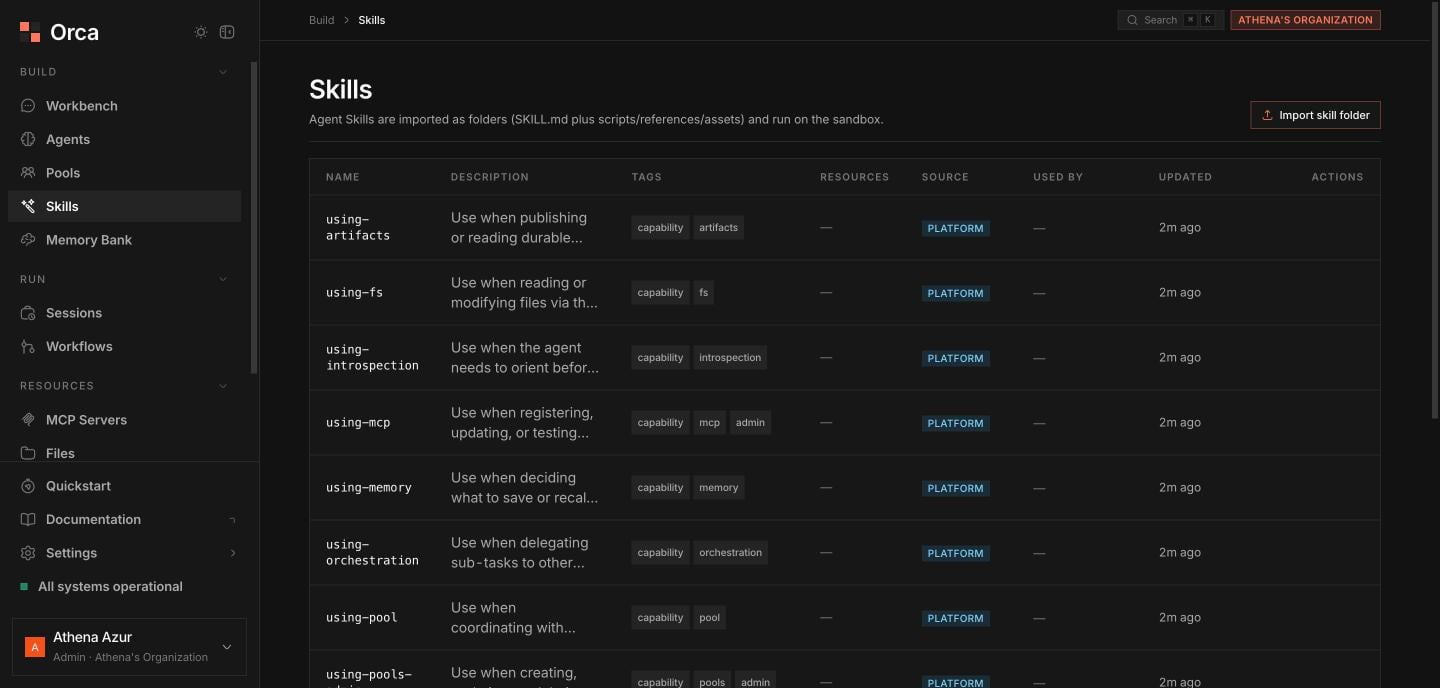
The paginated table lists every skill with these columns:
| Column | Description |
| --------------- | -------------------------------------- |
| **Name** | The skill's name. |
| **Description** | What the skill does. |
| **Tags** | Classification tags. |
| **Resources** | Count of files bundled in the folder. |
| **Source** | The platform/user the skill came from. |
| **Used by** | Which agents reference the skill. |
| **Updated** | Last-updated timestamp. |
 ## Importing a skill
Choose **Import skill folder** and select the skill's folder with the folder picker.
Orca runs a **dry-run validation** against the Agent Skills open standard and shows a preview: validation results, **sandbox-requirement flags** (whether the skill needs a sandbox), and any **collision / overwrite** warnings against existing skills.
Once the preview looks right, commit the import to add the skill to the org.
The dry run validates before anything is written, so you can catch a malformed `SKILL.md` or an unexpected overwrite before it lands.
You can also **delete** a skill from its row.
## Skill sheet
Opening a skill shows a **file tree with content preview**, rooted at `SKILL.md`. From here you can browse any bundled file, **copy** a file's contents, and **delete** the skill.
## Related
The Agent Skills standard and structure.
Where skills execute.
Attach skills to an agent profile.
## Importing a skill
Choose **Import skill folder** and select the skill's folder with the folder picker.
Orca runs a **dry-run validation** against the Agent Skills open standard and shows a preview: validation results, **sandbox-requirement flags** (whether the skill needs a sandbox), and any **collision / overwrite** warnings against existing skills.
Once the preview looks right, commit the import to add the skill to the org.
The dry run validates before anything is written, so you can catch a malformed `SKILL.md` or an unexpected overwrite before it lands.
You can also **delete** a skill from its row.
## Skill sheet
Opening a skill shows a **file tree with content preview**, rooted at `SKILL.md`. From here you can browse any bundled file, **copy** a file's contents, and **delete** the skill.
## Related
The Agent Skills standard and structure.
Where skills execute.
Attach skills to an agent profile.